


Page 59 - CSharp/C#
P. 59
Creating a new project in Visual Studio (console application) and Running it in
        Debug mode


            1.  Download and install Visual Studio. Visual Studio can be downloaded from
              VisualStudio.com. The Community edition is suggested, first because it is free, and second
              because it involves all the general features and can be extended further.

            2.  Open Visual Studio.


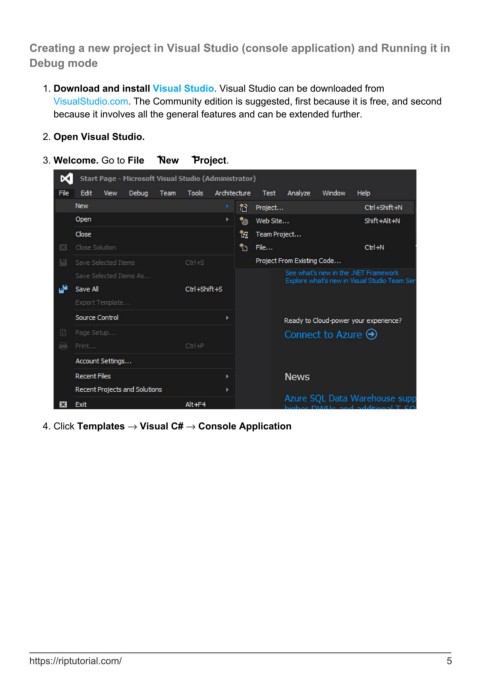
            3.  Welcome. Go to File → New → Project.


            4.  Click Templates → Visual C# → Console Application


        https://riptutorial.com/                                                                                5

