


Page 58 - CSharp/C#
P. 58
HelloWorld namespace)


         %WINDIR%\Microsoft.NET\Framework64\v4.0.30319\csc.exe HelloWorld.cs /main:HelloWorld.ClassA


        where HelloWorld is namespace


        Note: This is the path where .NET framework v4.0 is located in general. Change the path
        according to your .NET version. In addition, the directory might be framework instead of
        framework64 if you're using the 32-bit .NET Framework. From the Windows Command Prompt,
        you can list all the csc.exe Framework paths by running the following commands (the first for 32-
        bit Frameworks):


         dir %WINDIR%\Microsoft.NET\Framework\csc.exe /s/b
         dir %WINDIR%\Microsoft.NET\Framework64\csc.exe /s/b


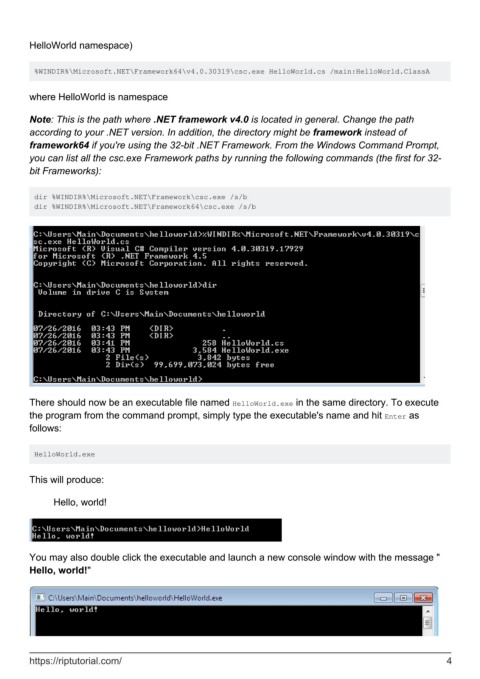
        There should now be an executable file named HelloWorld.exe in the same directory. To execute
        the program from the command prompt, simply type the executable's name and hit Enter as
        follows:


         HelloWorld.exe


        This will produce:

              Hello, world!


        You may also double click the executable and launch a new console window with the message "
        Hello, world!"


        https://riptutorial.com/                                                                                4

